Chevy's safety and driver assistance lights provide real-time alerts and information to help you stay aware of your surroundings and let you know when certain features are active. From Lane Departure Warnings to Automatic Emergency Braking indicators, these lights provide crucial information.
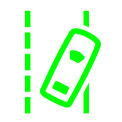
When equipped with Lane Keep Assist, your vehicle dashboard will display this symbol in green when it is active, in white when it is not active, or in orange if it detects you drifting into another lane.
If your vehicle has a Lane Departure Warning system, you will see this symbol in green if the system is active. If it illuminates in yellow and flashes, it tells you that you crossed a lane without using your turn signal.
If your vehicle has Automatic Emergency Braking and you see this icon that looks like a collision, don't panic. This light shows up when this feature is not active. So, if you've turned off the Automatic Emergency Braking in your vehicle settings, it's normal to see this light. It's just letting you know to pay attention because the vehicle will not brake for you when it detects a stopped or slowed vehicle ahead.
This icon illuminates in green when the Forward Collision system is active (when equipped). If it is yellow, it's telling you that you may be tailgating the vehicle in front of you or following them too closely.
The Pedestrian Ahead Indicator light, when equipped, illuminates when your vehicle has detected a pedestrian or bicyclist ahead of you. Be alert for any pedestrians when you see this light.
The Cruise Control icon looks like a speed limit gauge. This icon illuminates in white when Cruise Control is active but not in use, and it illuminates in green when Cruise Control is on and you have set a speed limit.
The Adaptive Cruise Control light shows up in white when the feature is on but not in use, and when it is green, it means it is on, in use, and maintaining a following gap between you and the vehicle ahead of you.
The ACC Curve Speed Control light illuminates in green to tell you that it is actively controlling your speed and detects a sharp curve in the road. This feature automatically slows your vehicle down while going through the curve.
If your vehicle is equipped with Super Cruise, this light and the steering wheel light bar will show you the status of the feature. There are many different indicators for this system, including green, blue, red, solid, flashing, and more. Refer to your owner's manual if you have the Super Cruise system to familiarize yourself with the important messages of this system.
A drowsy-looking eye symbol or a coffee cup icon illuminates Chevy vehicles with Driver Attention Assist to let you know if it detects drowsy driving. A Level 1 warning is a yellow icon in your display cluster, which means you are tired and should do something to increase your alertness, like rolling down a window or playing music.
A Level 2 warning is a red coffee cup icon that indicates severe exhaustion and that you may be drifting in and out of sleep. It is paired with several chimes and/or Safety Alert seat pulses.
The 'AUTO HOLD' light illuminates in green when your AVH (if equipped) is active and holding your vehicle in place.
Your vehicle's engine and battery warning lights signal when something may need attention under the hood. Whether it's the Check Engine Light, Oil Pressure Warning, or Low Fuel Indicator, these lights illuminate to tell you important information about your vehicle's functioning.
The Check Engine light will illuminate when your vehicle has detected a malfunction somewhere within the engine or the propulsion system. If you have an electric vehicle, you may see this light associated with charging issues. When you see this light, be sure to have your vehicle serviced as soon as possible.
This light appears as a car with an exclamation point and is telling you that there is potentially a problem with your vehicle battery or propulsion system. It's recommended to get your vehicle into a Certified Chevy service center as soon as possible if you see this light.
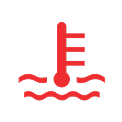
This light will appear when you first start your vehicle, and it will shut off shortly. If it doesn't shut off, you will need to have your vehicle serviced immediately. If this light illuminates while driving, it indicates that your vehicle is overheating. Pull over immediately, turn the vehicle off, and plan for it to be towed to a service center to avoid further engine damage.
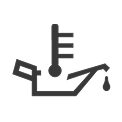
This is another light that turns on when you first start your vehicle but turns off quickly. If it comes on while you're driving, you should pull over and turn off the engine as soon as it is safe to do so. Check your oil and add more if the level is low, or have your vehicle taken to a service center ASAP.
This light indicates that you have low fuel, and it is another indicator that shows up briefly when you first start your vehicle.
This light shows a battery and it lights up when you first start your vehicle, then shuts off. If it stays on or turns on while driving, it means there could be an issue with the electrical system in your Chevy vehicle.
This light powers on when a charging cord is connected to your EV.
The Battery Fault Indicator light shows up when your vehicle has detected a problem with the battery system. If you see this, take your vehicle in for service immediately.
This battery-shaped indicator light shows if your electric vehicle is low on charge and should turn off once you charge it.
This turtle-shaped icon shows up if your vehicle has detected an issue with the propulsion system, and you may not be able to fully accelerate. If you see this light, schedule Chevrolet service immediately.
Driving warning lights help monitor the performance and stability of your vehicle. From the Brake System light to the Tire Pressure Warning or Traction Control System indicator, these lights let you know what systems are working or need attention.
The brake light illuminates and flashes when you first start your vehicle. If it stays on, there may be an issue with your brakes. It can also show up if you have low brake fluid levels. If it stays on, schedule service ASAP.
When your electric parking brake is activated, you'll see a solid 'PARK' light on your Chevrolet dashboard cluster.
A 'P' in a circle with a wrench is an indicator that your vehicle's electric parking brake needs service. It will flash when you first start your vehicle to let you know it's working, but if this light remains illuminated, schedule service ASAP.
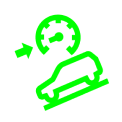
This light shows up as a green car symbol on the dashboard. Chevy vehicles equipped with Hill Descent Control use this feature to control your speed on hills. If it's green and flashing, that means it is active and working.
This ABS light flashes when you start your vehicle. If it comes on while driving, it indicates that there may be an issue with your Antilock Brake System, so you should schedule service ASAP.
The Traction Off light also flashes when you start your vehicle. However, if it remains on or turns on while driving, it means that the Traction Control System is off. If you turn off StabiliTrak or ECS, TCS will also turn off. You can turn it back on through the infotainment system.
This light is an indicator for your TCS or ESC system. It flashes upon starting your vehicle, but it also will flash when the TCS/ESC system is on and actively working.
When equipped, the Trailer Sway Control light comes on when the feature is active.
This light lets you know that the ESC system and TCS system are turned off.
This light will flash when you start your vehicle, but it will also illuminate when one or more of your tires has inadequate tire pressure.
The Security Light will flash when you start your vehicle (if equipped with a theft-deterrent system). If you don't see it, you may need to contact your dealer for service.
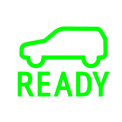
This green light is there to let you know that your vehicle is ready to drive!
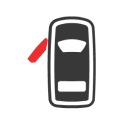
This light tells you that one or more doors are open or partially open.
Chevy vehicles include various feature-related warning symbols that provide information about your car's special capabilities. From customizable drive modes to four-wheel drive systems, you may see some of these indicators when utilizing certain features of your vehicle.
If equipped, this light shows up when you are using four-wheel drive.
This mode is for normal driving.
This mode provides a more responsive driving experience.
Snow mode enhances performance in snowy conditions.
This mode is designed for mild off-road driving.
Off-road drive mode is for true off-roading.
Use this mode when pulling a trailer or hauling a heavy load.
This is a customizable mode you can edit in your infotainment system for your specific driving preferences.
When equipped, this light turns on when your EV is in Wide Open Watts mode, giving you additional horsepower and torque from your battery and electric motors.
If your Chevy has four-wheel steering, this light turns on if you've turned the rear-wheel steering off.
This icon signifies that your vehicle is at maximum height.
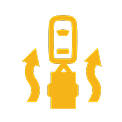
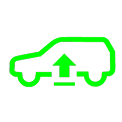
This icon indicatees that your vehicle is raised above its normal height. If it is green, it means the automobile is actively raising.
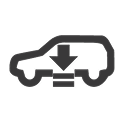
This symbol shows you that your vehicle is fully lowered.
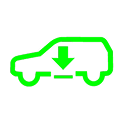
This light appears when the vehicle has lowered its height. If the light is green, it means the car is actively lowering.
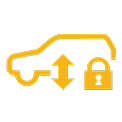
This icon tells you when the ride suspension of your vehicle is in Service Mode or Alignment Mode.